
Your Craigslist scraper worked fine last week. Today it returns an empty list, because Craigslist quietly changed a class name and your BeautifulSoup selector now matches nothing. The fastest way to scrape Craigslist search results in Python is to call a validated recipe endpoint that returns structured JSON, so the only code you write is a pagination loop and a CSV writer, not an HTML parser. By the end of this tutorial you will have a complete, copy-paste Python script that collects paginated Craigslist listings and writes them to a CSV file, with no headless browser to configure and no fragile selectors to maintain.
Why the Selenium and BeautifulSoup Approach Breaks
The competing approach to scrape Craigslist with Python, illustrated by this Apify Craigslist scraper script, involves initializing a Selenium WebDriver in global scope, configuring Chrome with headless mode, --no-sandbox, --disable-dev-shm-usage, --disable-gpu, and a fixed window size so it runs inside a Docker container, setting a Mozilla Chrome 91.0 user-agent string, and using ChromeDriverManager().install() to fetch the right driver binary. After the page loads, the script waits five seconds before handing the HTML to BeautifulSoup, which then calls soup.find_all('div', class_='cl-search-result') to find listings. Each listing dict is built with four keys: title, url, location, and date. A counter tracks progress toward a target of 50 listings, and driver.quit() runs in a finally block to release the browser. The whole thing is wrapped in async def main() and launched with asyncio.run(main()) at the entry point.
That is a lot of infrastructure. The deeper problem is that every piece of it is coupled to Craigslist's current HTML structure. When cl-search-result changes to something else, the find_all call returns an empty list, the counter never reaches its target, and the script exits silently having collected nothing. The script also logs missing listings with a warning so the developer knows the structure changed, but that warning is only useful if someone is watching. In production, the pipeline just stops delivering data.
The API recipe approach moves the selector logic off your machine. When Craigslist changes its markup, the recipe is updated centrally. Your code, which only reads JSON keys, does not change at all.
What You Get: Craigslist Listings as JSON in One API Call
The Ujeebu Scrape API supports a recipe parameter. When you pass recipe=craigslist and json=true, the API returns structured JSON rather than raw HTML. Check the Recipes page and the Craigslist recipe guide to confirm the recipe is listed and to see its current field definitions before building your pipeline around specific key names.
Because the recipe schema can evolve, the right habit is to inspect the response keys at runtime rather than hardcoding them:
result = fetch_page(search_url)
print(list(result.keys()))          # top-level keys
listings = result.get("listings", [])
if listings:
    print(list(listings[0].keys())) # per-listing fields
Common listing attributes include title, price, location, URL, and posted date, but confirm the current field list on the recipe page. That one inspection step is worth more than any hardcoded field list, because it keeps working if the recipe adds or renames a field later.
Takeaway: Verify the recipe exists at /recipes and inspect response keys at runtime before writing field-specific code.
Try it yourself
Run this on your own pages
Get a free API key and make your first call in minutes. 5,000 free credits for 21 days, no card.
Prerequisites and Setup
You need one library. Install it with:
pip install requests
Get a free API key at /signup. The free trial includes 5,000 credits with no credit card required. A plain scrape costs 1 credit per successful request. A scrape with JavaScript rendering costs 5 credits. Start with the plain setting and add js=true only if the response looks incomplete. Failed requests are not billed, so a blocked or timed-out page does not consume credits.
Store your key as an environment variable:
export UJEEBU_API_KEY="your_key_here"
Validate your key and target URL with a single curl call before writing the Python loop:
curl -G "https://api.ujeebu.com/scrape" \
  --data-urlencode "url=https://sfbay.craigslist.org/search/sss?query=bicycle" \
  --data-urlencode "recipe=craigslist" \
  --data-urlencode "json=true" \
  -H "ApiKey: YOUR_API_KEY"
If the response contains a listings array with items, your setup is working. If it returns an empty array, check that the URL points to a search results page rather than a single listing detail page.
Scrape a Single Craigslist Search Page with Python
Here is the minimal Python version of that curl call:
import os
import requests

API_KEY = os.environ["UJEEBU_API_KEY"]
BASE_URL = "https://api.ujeebu.com/scrape"

def fetch_page(search_url):
    response = requests.get(
        BASE_URL,
        params={
            "url": search_url,
            "recipe": "craigslist",
            "json": "true",
        },
        headers={"ApiKey": API_KEY},
        timeout=60,
    )
    response.raise_for_status()
    return response.json()

result = fetch_page("https://sfbay.craigslist.org/search/sss?query=bicycle")

# Discover available fields before assuming key names
listings = result.get("listings", [])
if not listings:
    print("No listings returned. Check that the URL is a search results page.")
else:
    print(f"Fields available: {list(listings[0].keys())}")
    for item in listings:
        print(item)
A few details worth noting. The params dict handles URL encoding, so you do not need to escape the Craigslist URL manually. The result.get("listings", []) pattern avoids a KeyError if the recipe returns a different top-level structure. And response.raise_for_status() surfaces HTTP errors immediately rather than letting you discover them later when the JSON parse fails.
The default proxy_type is rotating (documented at /docs/apis/scrape), so you can start without any proxy configuration. You do not need to set a custom user-agent string or manage IP rotation yourself for basic usage.
Takeaway: If listings comes back empty on the first call, verify the URL contains /search/ and points to a results page, not a single listing detail page.
Paginate Through Multiple Pages of Results When You Scrape Craigslist with Python
Craigslist search results span multiple pages. The safest pagination strategy is to keep requesting pages until the listings array comes back empty, rather than assuming a fixed page size or a specific query parameter name. Build each subsequent URL by appending or incrementing whatever offset parameter your target search URL uses, and stop the loop when no results are returned.
Here is a general pagination loop that works regardless of how Craigslist structures its offset parameter:
import time
from urllib.parse import urlparse, urlencode, parse_qs, urlunparse

def paginate(base_search_url, max_pages=10, delay=1.5):
    all_listings = []
    parsed = urlparse(base_search_url)
    params = parse_qs(parsed.query, keep_blank_values=True)
    page = 0

    while page < max_pages:
        # Build the page URL; update offset params here if your target URL uses them
        new_query = urlencode(params, doseq=True)
        page_url = urlunparse(parsed._replace(query=new_query))

        result = fetch_page(page_url)
        listings = result.get("listings", [])

        if not listings:
            print(f"No more results at page {page + 1}. Stopping.")
            break

        all_listings.extend(listings)
        print(
            f"Page {page + 1}: collected {len(listings)} listings "
            f"(total {len(all_listings)})"
        )

        page += 1
        time.sleep(delay)

    return all_listings
The time.sleep(delay) between requests is good practice even with rotating proxies. The proxy pool distributes the origin IP, but a very high request rate can still trigger rate limiting at Craigslist's application layer.
When you build your target URL in Craigslist's own search UI and apply filters there, copy the full URL from the browser address bar. That URL already encodes your city, category, price range, and condition filters as query parameters. Pass it as base_search_url and the script requests exactly what you configured.
Takeaway: Always stop on an empty listings array. Craigslist does not return a 404 when you go past the last page; it returns an empty result set, so a missing stop condition means an infinite loop.
Save Listings to a CSV File
Once you have a list of listing dicts, writing them to CSV is straightforward with Python's built-in csv.DictWriter. The only wrinkle is deduplication: the same listing can appear on adjacent pages near a page boundary.
import csv

def save_to_csv(listings, filename="craigslist_listings.csv"):
    if not listings:
        print("Nothing to save.")
        return

    # Derive fieldnames from the first listing so the CSV adapts to schema changes
    fieldnames = list(listings[0].keys())
    seen_urls = set()
    unique_listings = []

    for item in listings:
        url = item.get("url", "")
        if url not in seen_urls:
            seen_urls.add(url)
            unique_listings.append(item)

    with open(filename, "w", newline="", encoding="utf-8") as f:
        writer = csv.DictWriter(
            f, fieldnames=fieldnames, extrasaction="ignore"
        )
        writer.writeheader()
        writer.writerows(unique_listings)

    print(f"Saved {len(unique_listings)} unique listings to {filename}")
The extrasaction="ignore" argument means that if a listing dict contains a key not in fieldnames, the writer silently skips it rather than raising a ValueError. This is the right default for recipe output where the schema can evolve. The Python csv module documentation covers dialect control and quoting options if you need them.
Takeaway: Derive fieldnames from the first listing rather than hardcoding them. The CSV adapts automatically if the recipe returns additional fields.
Filter by Category and Location
The Craigslist URL structure does the filtering work for you. City is the subdomain and category is the path segment after /search/. The full list of Craigslist city sites is at https://www.craigslist.org/about/sites.
The easiest way to get the right URL with all your filters applied is to run a search in your browser, apply the price range, condition, and date filters you want using Craigslist's own UI, and copy the full URL from the address bar. Paste that URL into the script's BASE_SEARCH_URL variable. The Scrape API requests that exact URL, including every query parameter your filters added.
See the Craigslist recipe guide for any tested URL patterns and notes on specific categories.
Takeaway: Build your target URL in a browser first. Every filter you apply in the Craigslist UI becomes a query parameter that travels through to the API call unchanged.
Cost Estimate and Free Trial
The credit cost depends on whether you use JavaScript rendering. A plain scrape costs 1 credit per successful request. A scrape with JavaScript rendering costs 5 credits. Start with js=false (the default) and add js=true only if you find the response is incomplete, since the rendered version costs five times as much.
On the Starter plan ($49/month for 300,000 credits), plain scrape requests cost $0.16 per 1,000 successful requests. JavaScript-rendered requests cost $0.82 per 1,000. The Growth plan ($119/month for 1,000,000 credits) brings those figures down further. See the full plan comparison for all tiers.
The free trial gives you 5,000 credits with no credit card required, which is enough to run the paginating script across several cities and categories and confirm the recipe returns the fields you need before committing to a plan. Failed requests are not billed, so a request that times out or is blocked does not consume credits.
For ongoing price monitoring across multiple cities, the price monitoring use case guide covers how to structure a recurring collection pipeline.
Full Script
Here is the complete script, combining all previous sections. Set UJEEBU_API_KEY in your environment, swap BASE_SEARCH_URL for your target, and run it.
import os
import csv
import time
from urllib.parse import urlparse, urlencode, parse_qs, urlunparse

import requests

API_KEY = os.environ["UJEEBU_API_KEY"]
SCRAPE_URL = "https://api.ujeebu.com/scrape"
BASE_SEARCH_URL = "https://sfbay.craigslist.org/search/sss?query=bicycle"
OUTPUT_FILE = "craigslist_listings.csv"
MAX_PAGES = 10
DELAY_SECONDS = 1.5

def fetch_page(url):
    resp = requests.get(
        SCRAPE_URL,
        params={"url": url, "recipe": "craigslist", "json": "true"},
        headers={"ApiKey": API_KEY},
        timeout=60,
    )
    resp.raise_for_status()
    return resp.json()

def paginate(base_url):
    all_listings = []
    seen_urls = set()
    parsed = urlparse(base_url)
    params = parse_qs(parsed.query, keep_blank_values=True)

    for page in range(MAX_PAGES):
        page_url = urlunparse(
            parsed._replace(query=urlencode(params, doseq=True))
        )
        result = fetch_page(page_url)
        listings = result.get("listings", [])

        if not listings:
            print(f"Stopped at page {page + 1}: no more results.")
            break

        added = 0
        for item in listings:
            url = item.get("url", "")
            if url not in seen_urls:
                seen_urls.add(url)
                all_listings.append(item)
                added += 1

        print(
            f"Page {page + 1}: {len(listings)} listings returned, "
            f"{added} new (total unique: {len(all_listings)})"
        )
        time.sleep(DELAY_SECONDS)

    return all_listings

def save_csv(listings):
    if not listings:
        print("No listings to save.")
        return
    fieldnames = list(listings[0].keys())
    with open(OUTPUT_FILE, "w", newline="", encoding="utf-8") as f:
        writer = csv.DictWriter(
            f, fieldnames=fieldnames, extrasaction="ignore"
        )
        writer.writeheader()
        writer.writerows(listings)
    print(f"Saved {len(listings)} listings to {OUTPUT_FILE}")

if __name__ == "__main__":
    listings = paginate(BASE_SEARCH_URL)
    save_csv(listings)
This is the structural difference from the Selenium approach. There is no WebDriver to initialize, no Chrome options to configure for Docker, no asyncio.run(main()) entry point, and no finally: driver.quit() cleanup block. The script is synchronous, has one dependency, and is easy to read six months later. When Craigslist changes its HTML, you update nothing: the recipe handles it.
For a comparison of when BeautifulSoup is the right tool versus when an API is worth the cost, see our guide on Python web scraping with BeautifulSoup. For a similar recipe-based approach applied to Amazon product pages, see the Amazon web scraping guide.
Start with the free trial (5,000 credits, no credit card) at /signup and run the script against your first Craigslist search URL.
FAQ
Is scraping Craigslist legal?
Scraping publicly accessible pages is generally treated differently from accessing private data, but the legal picture depends on jurisdiction, how the data is used, and Craigslist's terms of service. For a detailed analysis of the legal landscape around web scraping, see our post on whether web scraping is legal. Always review the terms of the site you are scraping and consult legal counsel for commercial use cases.
Why does my Craigslist scraper get blocked?
Craigslist detects scrapers primarily through IP reputation and request patterns. A datacenter IP making rapid sequential requests is a clear signal. The Scrape API's default rotating proxy type distributes requests across many IP addresses, which reduces that signal. If you are running your own scraper with a fixed IP or a small proxy pool, you will see blocks much sooner. See our guide on overcoming web scraping blocks for a deeper explanation of how IP classification works.
What fields does the Craigslist recipe return?
The recipe returns a listings array in the JSON response. Common listing attributes include title, price, location, URL, and posted date, but the exact keys depend on the recipe version. Inspect the keys of the first listing at runtime with list(listings[0].keys()) rather than hardcoding field names. The Craigslist recipe page documents the current fields.
How many Craigslist pages can I scrape per dollar?
On the Starter plan ($49/month for 300,000 credits), a plain scrape costs $0.16 per 1,000 successful requests and a JavaScript-rendered scrape costs $0.82 per 1,000. The free trial gives 5,000 credits with no credit card, enough to validate the recipe and collect listings across several searches. See /pricing for all plan tiers.
Do I need JavaScript rendering to scrape Craigslist search results?
Start with js=false (the default, 1 credit per request) and check whether the listings array is populated. If the response is incomplete or empty, retry with js=true (5 credits per request). Try the plain version first with the curl command above before adding the rendering overhead.
How do I scrape a specific Craigslist city or category?
Change the subdomain for the city and the path segment after /search/ for the category. The full list of Craigslist city sites is at https://www.craigslist.org/about/sites. The easiest approach is to run a search in your browser with all your filters applied, copy the full URL from the address bar, and paste it into the script's BASE_SEARCH_URL variable. Every filter you set in the Craigslist UI becomes a query parameter that the API passes through unchanged.
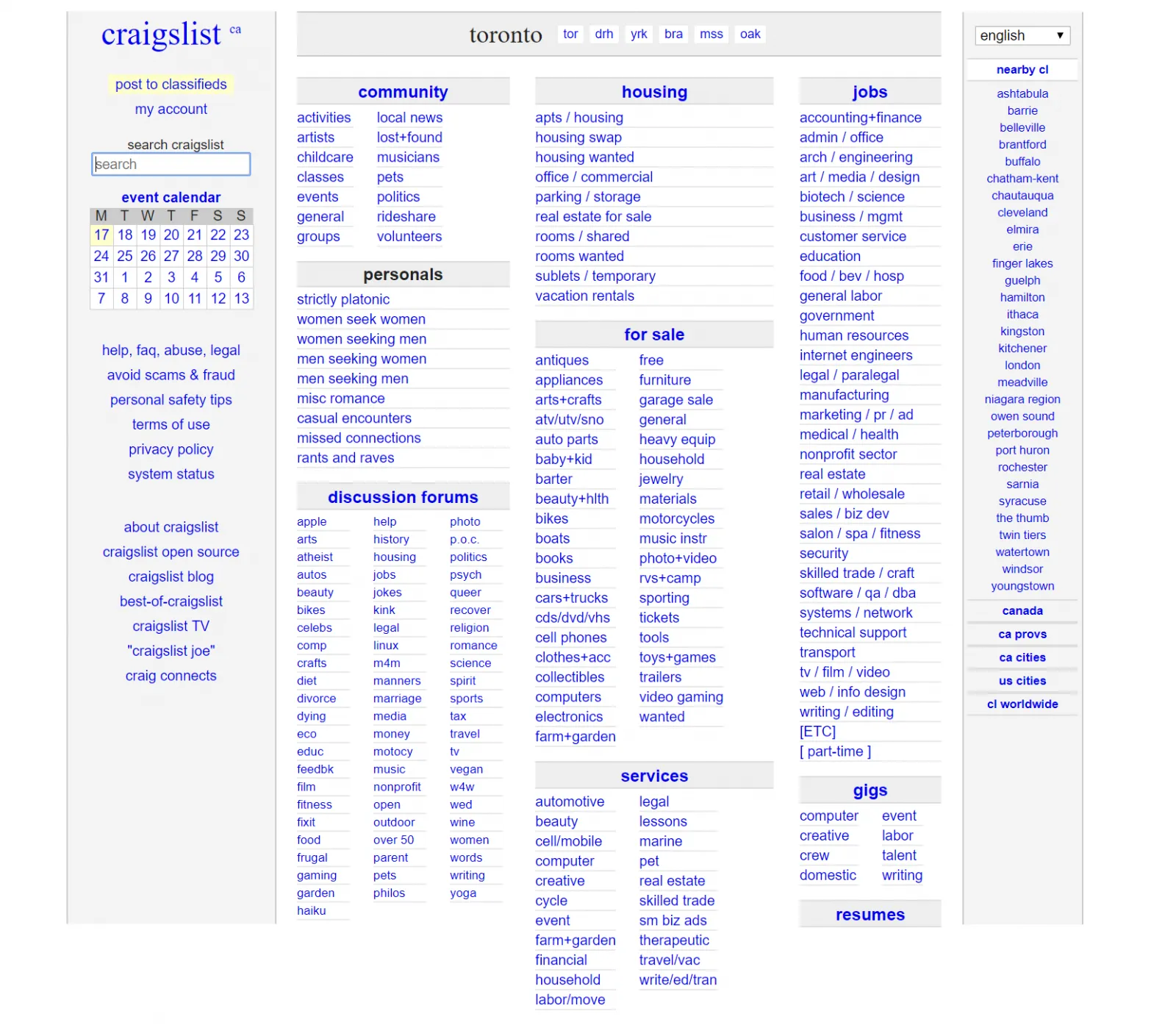
Cover image: File:Craigslist menu.png - Wikimedia Commons (commons.wikimedia.org), labelled for reuse.
Try it yourself
Run this on your own pages
Get a free API key and make your first call in minutes. 5,000 free credits for 21 days, no card.